Free Digitizing Software for Embroidery: A Beginner’s Guide
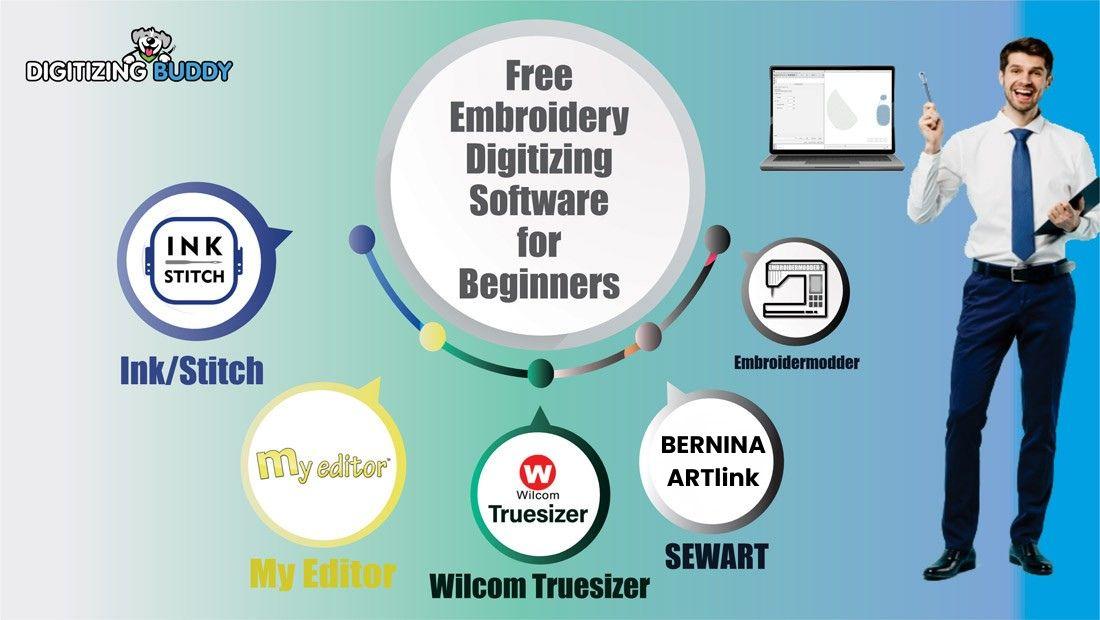
Free Digitizing Software for Embroidery
Introduction
Starting your embroidery journey is exciting—until you discover that embroidery digitizing software can be expensive. Many beginners find themselves asking the same question: Is there any free digitizing software for embroidery that actually works?
The good news is yes. While free options may not offer every advanced feature found in premium programs, they can be excellent tools for learning embroidery digitizing, creating simple designs, and understanding how stitch files work.
In this guide, you'll learn what free embroidery digitizing software is, its advantages and limitations, and how to get the best results from it.
What Is Embroidery Digitizing Software?
Embroidery digitizing software converts artwork into stitch instructions that embroidery machines can read.
Instead of simply displaying an image, the software tells the machine:
-
Where stitches should begin
-
Which stitch types to use
-
How dense the stitches should be
-
When color changes occur
-
The direction of stitching
Without digitizing software, an embroidery machine cannot understand how to sew a design.
Why Beginners Look for Free Digitizing Software for Embroidery
Not everyone wants to invest in professional software immediately.
Many embroidery enthusiasts prefer free options because they:
-
Reduce startup costs
-
Allow learning without financial risk
-
Help users understand digitizing basics
-
Provide practice before upgrading
-
Support simple embroidery projects
Think of free software as a training ground before moving to advanced embroidery production.
Features to Look for in Free Digitizing Software
Not all free embroidery programs offer the same capabilities.
Basic Digitizing Tools
Look for software that includes:
-
Manual stitch creation
-
Shape editing
-
Stitch direction controls
-
Color management
These features help build a solid understanding of embroidery design.
File Format Support
Good software should allow importing or exporting common embroidery file formats such as:
-
DST
-
PES
-
EXP
-
JEF
-
VP3
File compatibility helps ensure your design can work with different embroidery machines.
Design Editing
Even beginner-friendly software should allow:
-
Resizing
-
Rotating
-
Moving design elements
-
Adjusting stitch properties
Benefits of Using Free Digitizing Software
Free software can offer surprising value for new embroiderers.
Affordable Learning
You can develop digitizing skills without making a large investment.
Practice Without Pressure
Experimenting with stitch types becomes easier when you're not worried about software costs.
Better Understanding of Embroidery
Creating designs manually teaches how embroidery machines actually operate.
Preparing for Professional Software
Many concepts learned in free programs transfer directly to advanced digitizing systems.
Limitations of Free Digitizing Software
While free software is helpful, it does come with some restrictions.
Limited Automation
Many free tools require more manual work.
Fewer Advanced Features
You may not have access to:
-
Automatic digitizing
-
Advanced stitch effects
-
Professional lettering tools
-
Production management features
Reduced Technical Support
Free programs often rely on user communities rather than dedicated support teams.
Understanding these limitations helps set realistic expectations.
Tips for Getting Better Results with Free Digitizing Software
Learning embroidery digitizing takes patience, regardless of the software you use.
Start with Simple Designs
Choose logos or artwork with:
-
Clean lines
-
Few colors
-
Minimal detail
Simple projects are easier to digitize successfully.
Learn Stitch Types
Understanding stitch behavior is more important than learning software shortcuts.
Focus on:
-
Satin stitches
-
Fill stitches
-
Running stitches
Test Stitch Frequently
Always sew a sample before using a design on a final product.
A test stitch reveals issues that may not appear on the computer screen.
Keep Design Sizes Reasonable
Very small details can become difficult to digitize accurately.
When Should You Upgrade?
Free software is excellent for learning, but there may come a time when upgrading makes sense.
Consider moving to professional solutions if you:
-
Run an embroidery business
-
Handle complex artwork
-
Need faster production workflows
-
Create designs regularly
-
Require advanced editing capabilities
Many successful embroidery professionals started with free tools before investing in more advanced software.
How Digitizing Buddy Helps Embroidery Businesses
Even with free digitizing software, creating high-quality embroidery files requires skill and experience.
At Digitizing Buddy, professional digitizing services help transform logos, artwork, and custom designs into machine-ready embroidery files with accurate stitch settings and clean production results.
This allows businesses and embroidery shops to save time while maintaining professional-quality embroidery.
Conclusion
Finding reliable free digitizing software for embroidery is a great way to begin learning embroidery digitizing without a major financial commitment. While free tools may not include every advanced feature, they provide valuable opportunities to learn stitch creation, file management, and embroidery fundamentals.
The key is to focus on understanding embroidery principles rather than relying entirely on software automation. With practice, patience, and regular testing, free software can help you develop skills that support long-term embroidery success.
Whether you're a hobbyist or planning to start an embroidery business, mastering the basics today can lead to better embroidery results tomorrow.
FAQs
What is free digitizing software for embroidery?
Free digitizing software allows users to create or edit embroidery designs without purchasing expensive commercial programs.
Can free embroidery software create professional designs?
Yes, skilled users can create quality embroidery designs using free software, although it may require more manual effort.
Is free software suitable for beginners?
Absolutely. Free embroidery digitizing software is often an excellent starting point for learning embroidery fundamentals.
What embroidery file formats should software support?
Common embroidery formats include DST, PES, EXP, JEF, VP3, and other machine-specific file types.
When should I switch to paid digitizing software?
You should consider upgrading when you need advanced features, faster workflows, or regularly produce embroidery designs for commercial purposes.


 English
 Arabic
 French
 Spanish
 Portuguese
 Deutsch
 Turkish
 Dutch
Dutch
 Italiano
 Russian
 Romaian
 Portuguese (Brazil)