Vector Drawing Software: A Complete Guide for Designers
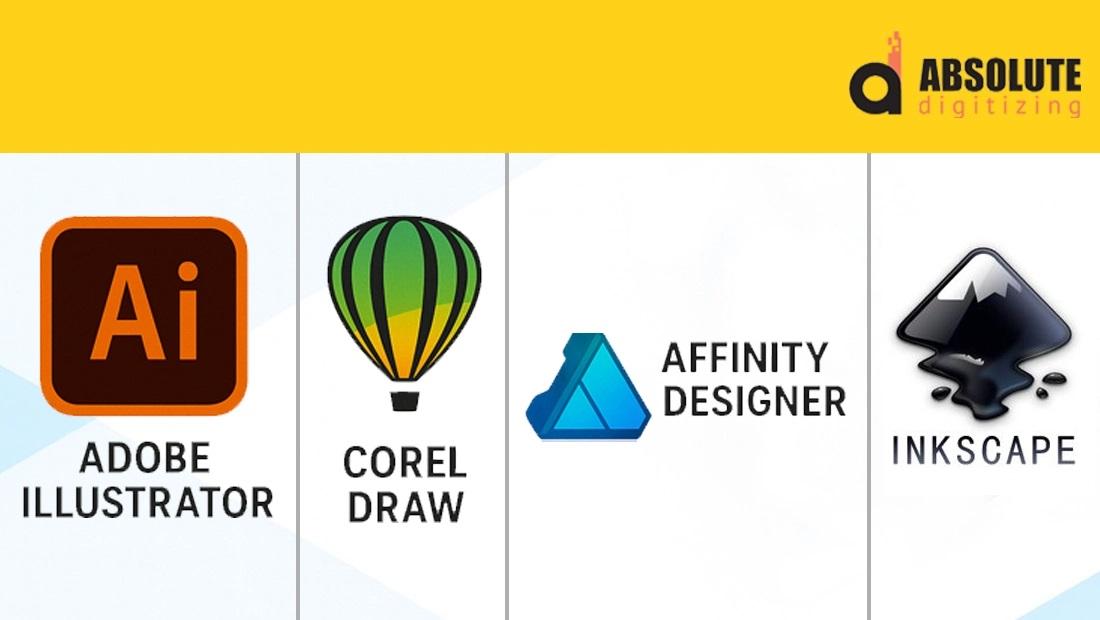
Vector Drawing Software
Introduction
Have you ever zoomed into an image only to watch it become blurry and pixelated? That frustrating experience is exactly why designers rely on vector drawing software. Unlike regular images made of pixels, vector graphics stay crisp and sharp no matter how large or small they become.
Whether you're creating logos, illustrations, signage, embroidery artwork, or print designs, choosing the right vector drawing software can make a huge difference in your workflow and final results. In this guide, we'll explore what vector software is, why it matters, and how to choose the best solution for your creative needs.
What Is Vector Drawing Software?
Vector drawing software is a design tool used to create graphics made from mathematical paths rather than pixels. These paths allow artwork to be resized without losing quality.
This makes vector graphics ideal for:
-
Logo design
-
Custom illustrations
-
Business branding
-
Large-format printing
-
Screen printing
-
Embroidery digitizing preparation
-
Vehicle wraps
-
Promotional products
Think of vector artwork like a blueprint. No matter how much you enlarge it, every line remains clean and accurate.
Why Designers Prefer Vector Graphics
Vector graphics offer several advantages over raster images such as JPG or PNG files.
Unlimited Scalability
A vector logo can be printed on a business card or a billboard without losing clarity.
Smaller File Sizes
Most vector files are lightweight, making them easier to store and share.
Easy Editing
Individual elements can be adjusted without affecting the entire design.
Professional Printing Quality
Print shops and embroidery digitizers often request vector files because they produce cleaner results.
Key Features to Look for in Vector Drawing Software
Not all vector design programs are created equal. Here are some important features to consider.
Precision Drawing Tools
Look for software that includes:
-
Pen tools
-
Shape builders
-
Node editing
-
Alignment controls
Layer Management
Organized layers help manage complex artwork efficiently.
File Format Support
The software should support common vector formats such as:
-
AI
-
EPS
-
SVG
-
PDF
Typography Tools
Strong text editing capabilities are essential for logo and branding projects.
Export Flexibility
Being able to export artwork for printing, web use, and embroidery preparation saves time.
Common Uses of Vector Drawing Software
Vector software is used across many industries.
Logo Design
Businesses need logos that look professional on every marketing material.
Apparel Decoration
Screen printers and embroidery professionals use vector files as the foundation for production artwork.
Marketing Materials
Brochures, banners, flyers, and business cards often start as vector designs.
Signage and Large Format Printing
Vector artwork ensures sharp graphics even at very large sizes.
How Vector Artwork Supports Embroidery Digitizing
Many people assume an embroidery machine can stitch directly from a logo image. In reality, embroidery requires digitizing software and a stitch file.
However, vector artwork plays an important role in the process.
Benefits include:
-
Cleaner design outlines
-
Better stitch path planning
-
Improved design accuracy
-
Faster digitizing turnaround
At Absolute Digitizing, vector-ready artwork often helps create cleaner and more efficient embroidery files.
Tips for Creating Better Vector Artwork
If you're new to vector design, these tips can help improve your results.
Keep Designs Simple
Simple artwork is easier to edit, print, and digitize.
Use Clean Shapes
Avoid unnecessary anchor points that can complicate editing.
Organize Layers
Name layers clearly to improve workflow.
Convert Text When Necessary
Before sending files to print providers, convert fonts to outlines if required.
Save Original Files
Always keep an editable master version of your artwork.
Choosing the Right Vector Drawing Software
The best vector drawing software depends on your goals.
For beginners:
-
Focus on ease of use.
-
Learn basic shape and path editing.
For professionals:
-
Look for advanced illustration tools.
-
Prioritize file compatibility and workflow efficiency.
For embroidery businesses:
-
Choose software that supports artwork preparation and clean vector exports.
The right choice is the one that helps you create accurate, scalable designs efficiently.
Why Quality Vector Artwork Matters
Good vector artwork is more than just a design file. It serves as the foundation for branding, printing, promotional products, and embroidery.
A poorly constructed file can lead to production errors, while a professionally created vector design improves quality at every stage.
That's why businesses often invest in professional vector conversion and artwork preparation services to ensure the best possible results.
Conclusion
Vector drawing software is an essential tool for designers, print professionals, and embroidery businesses. Its ability to create scalable, editable, and high-quality artwork makes it the preferred choice for professional design work.
Whether you're creating a company logo, preparing artwork for printing, or getting designs ready for embroidery digitizing, vector graphics provide the flexibility and precision needed for excellent results.
By understanding the features, benefits, and best practices of vector design, you'll be better equipped to create artwork that looks sharp, professional, and production-ready every time.
FAQs
What is vector drawing software used for?
Vector drawing software is used to create scalable graphics such as logos, illustrations, branding materials, signage, and artwork for printing or embroidery.
Why are vector files important for printing?
Vector files maintain sharp quality at any size, making them ideal for professional printing applications.
Can vector artwork be used for embroidery?
Yes. Vector artwork is often used as the starting point for embroidery digitizing because it provides clean outlines and accurate design details.
What file formats are commonly used for vector graphics?
Popular vector formats include SVG, EPS, AI, and PDF.
Is vector artwork better than JPG images?
For logos, printing, and professional design work, vector artwork is generally better because it can be resized without losing quality.


 English
 Arabic
 French
 Spanish
 Portuguese
 Deutsch
 Dutch
Dutch
 Italiano
 Russian
 Romaian
 Portuguese (Brazil)
 Greek
Greek